Skip to content
Neural Reader
Read & listenFor creatorsVoices & languagesGuides
Menu
Read & listenFor creatorsVoices & languagesGuidesSupport
Get the app ↗
SupportPrivacyTermsData deletion

Data Deletion

You can delete your account and account data directly in the Neural Reader app.

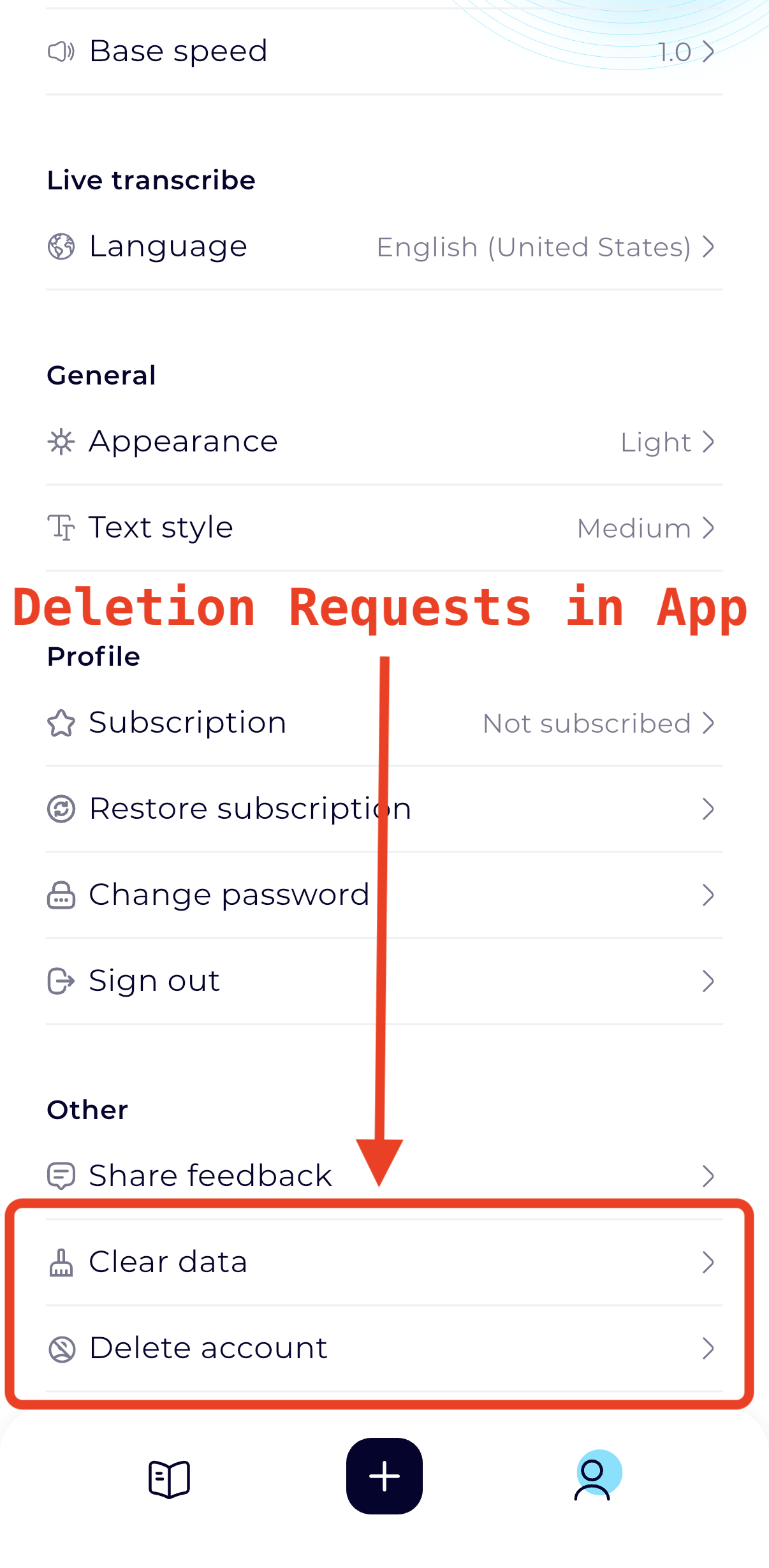
Delete your account in the app

  1. Sign in to the account you want to delete.
  2. Open Settings.
  3. Tap Delete account, then tap Confirm.
View the in-app screenshotNeural Reader Settings with Delete account below Clear data

Need help?

If you can’t sign in or need help with a deletion request, contact Support.

Neural Reader
SupportPrivacyTerms

Developed by Prompt Functions Inc.

Apple, the Apple logo, iPhone, and iPad are trademarks of Apple Inc., registered in the U.S. and other countries. App Store is a service mark of Apple Inc.
Android is a trademark of Google LLC. Google Play and the Google Play logo are trademarks of Google LLC.

Your data, your choice

We use cookies to understand how people use this site and improve it. Privacy policy