Natural text-to-speech voices and languages
Find your language or region and listen to voice samples here before choosing a voice in Neural Reader.
Find a voice
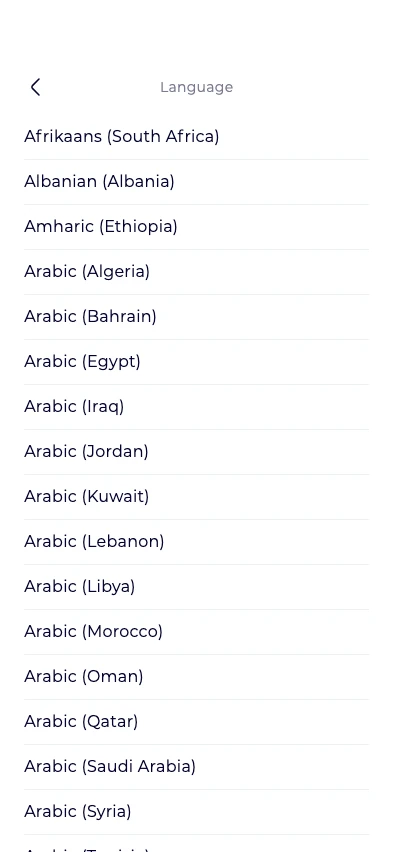
155 language and regional choices
Afrikaans (South Africa)2 voice options
Albanian (Albania)2 voice options
Amharic (Ethiopia)2 voice options
Arabic (Algeria)2 voice options
Arabic (Bahrain)2 voice options
Arabic (Egypt)3 voice options
Arabic (Iraq)2 voice options
Arabic (Jordan)2 voice options
Arabic (Kuwait)2 voice options
Arabic (Lebanon)2 voice options
Arabic (Libya)2 voice options
Arabic (Morocco)2 voice options
Arabic (Oman)2 voice options
Arabic (Qatar)2 voice options
Arabic (Saudi Arabia)4 voice options
Arabic (Syria)2 voice options
Arabic (Tunisia)2 voice options
Arabic (United Arab Emirates)2 voice options
Arabic (Yemen)2 voice options
Armenian (Armenia)2 voice options
Assamese (India)2 voice options
Azerbaijani (Latin, Azerbaijan)2 voice options
Bangla (Bangladesh)2 voice options
Basque2 voice options
Bengali (India)2 voice options
Bosnian (Bosnia and Herzegovina)2 voice options
Bulgarian (Bulgaria)2 voice options
Burmese (Myanmar)2 voice options
Catalan3 voice options
Chinese (Cantonese, Traditional)4 voice options
Chinese (Cantonese)2 voice options
Chinese (Guangxi Accent)1 voice option
Chinese (Jilu)1 voice option
Chinese (Mandarin)43 voice options
Chinese (Northeastern)2 voice options
Chinese (Southwestern)1 voice option
Chinese (Taiwanese, Traditional)3 voice options
Chinese (Wu)2 voice options
Chinese (Zhongyuan Henan)1 voice option
Chinese (Zhongyuan Shaanxi)1 voice option
Croatian (Croatia)2 voice options
Czech (Czechia)4 voice options
Danish (Denmark)4 voice options
Dutch (Belgium)3 voice options
Dutch (Netherlands)12 voice options
English (Australia)31 voice options
English (Canada)4 voice options
English (Hong Kong SAR)2 voice options
English (India)29 voice options
English (Ireland)3 voice options
English (Kenya)2 voice options
English (New Zealand)3 voice options
English (Nigeria)7 voice options
English (Philippines)8 voice options
English (Singapore)10 voice options
English (South Africa)3 voice options
English (Tanzania)2 voice options
English (United Kingdom)49 voice options
English (United States)162 voice options
Estonian (Estonia)2 voice options
Filipino (Philippines)2 voice options
Finnish (Finland)6 voice options
French (Belgium)4 voice options
French (Canada)6 voice options
French (France)31 voice options
French (Switzerland)2 voice options
Galician2 voice options
Georgian (Georgia)2 voice options
German (Austria)3 voice options
German (Germany)46 voice options
German (Switzerland)3 voice options
Greek (Greece)2 voice options
Gujarati (India)2 voice options
Hebrew (Israel)7 voice options
Hindi (India)23 voice options
Hungarian (Hungary)9 voice options
Icelandic (Iceland)2 voice options
Indonesian (Indonesia)4 voice options
Inuktitut (Latin, Canada)2 voice options
Inuktitut (Syllabics, Canada)2 voice options
Irish (Ireland)2 voice options
Italian (Italy)31 voice options
Japanese (Japan)12 voice options
Javanese (Latin, Indonesia)2 voice options
Kannada (India)2 voice options
Kazakh (Kazakhstan)2 voice options
Khmer (Cambodia)2 voice options
Korean (Korea)19 voice options
Lao (Laos)2 voice options
Latvian (Latvia)2 voice options
Lithuanian (Lithuania)2 voice options
Macedonian (North Macedonia)2 voice options
Malay (Malaysia)2 voice options
Malayalam (India)2 voice options
Maltese (Malta)2 voice options
Marathi (India)2 voice options
Mongolian (Mongolia)2 voice options
Nepali (Nepal)2 voice options
Norwegian Bokmål (Norway)5 voice options
Odia (India)2 voice options
Pashto (Afghanistan)2 voice options
Persian (Iran)2 voice options
Polish (Poland)17 voice options
Portuguese (Brazil)40 voice options
Portuguese (Portugal)18 voice options
Punjabi (India)2 voice options
Romanian (Romania)15 voice options
Russian (Russia)28 voice options
Serbian (Cyrillic, Serbia)2 voice options
Serbian (Latin, Serbia)2 voice options
Sinhala (Sri Lanka)2 voice options
Slovak (Slovakia)2 voice options
Slovenian (Slovenia)2 voice options
Somali (Somalia)2 voice options
Spanish (Argentina)4 voice options
Spanish (Bolivia)2 voice options
Spanish (Chile)7 voice options
Spanish (Colombia)5 voice options
Spanish (Costa Rica)2 voice options
Spanish (Cuba)2 voice options
Spanish (Dominican Republic)2 voice options
Spanish (Ecuador)2 voice options
Spanish (El Salvador)2 voice options
Spanish (Equatorial Guinea)2 voice options
Spanish (Guatemala)2 voice options
Spanish (Honduras)2 voice options
Spanish (Latin America)2 voice options
Spanish (Mexico)42 voice options
Spanish (Nicaragua)2 voice options
Spanish (Panama)2 voice options
Spanish (Paraguay)2 voice options
Spanish (Peru)2 voice options
Spanish (Puerto Rico)2 voice options
Spanish (Spain)42 voice options
Spanish (United States)5 voice options
Spanish (Uruguay)2 voice options
Spanish (Venezuela)2 voice options
Sundanese (Indonesia)2 voice options
Swahili (Kenya)2 voice options
Swahili (Tanzania)2 voice options
Swedish (Sweden)15 voice options
Tamil (India)2 voice options
Tamil (Malaysia)2 voice options
Tamil (Singapore)2 voice options
Tamil (Sri Lanka)2 voice options
Telugu (India)2 voice options
Thai (Thailand)8 voice options
Turkish (Türkiye)25 voice options
Ukrainian (Ukraine)2 voice options
Urdu (India)2 voice options
Urdu (Pakistan)3 voice options
Uzbek (Latin, Uzbekistan)2 voice options
Vietnamese (Vietnam)4 voice options
Welsh (United Kingdom)2 voice options
Zulu (South Africa)2 voice options
Find a language, region, or voice by name. Open a language and tap Play sample to hear a short greeting. This list covers cloud reading voices; device voices are separate.
- Voice options
- 1,080
- Language and regional choices
- 155
Checked November 19, 2026. Regional variants count separately. Some voice names have more than one option; availability can change.
Find a voice for your next recording
Choose your reading language
Open Settings and choose Language under Read aloud. Select the language of your text before choosing a voice.
Listen to voice samples
Return to Settings and open Voice. Tap the play button beside a name to hear a sample. For Neural Reader’s cloud voices, choose a name without the “Offline Voice” label.
Select a voice and try your own text
Tap the voice’s row; a checkmark confirms your choice. Tap +, choose Read aloud, then Text. Paste a short passage and tap Read while connected.
Set a comfortable pace
Open Audio speed in the player. Try a slower pace for an unfamiliar topic or a faster pace for a quick review. Use the same voice for a longer source when you’re happy with the result.
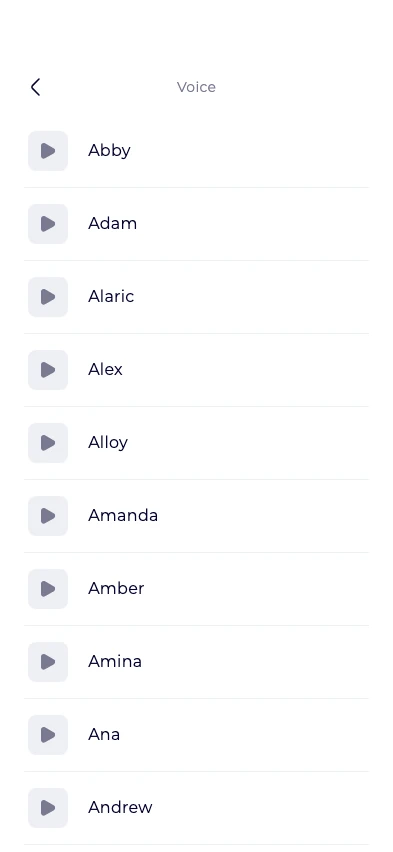
The start of the US English list, with 162 voice options. Scroll in the app to see more.
View full-size screenshotTry a passage you know
A sample helps you choose a voice; your own text helps you decide whether it suits the material. Try a paragraph with the names, terms, and sentence lengths you expect in the full document.
Cloud voices create recordings you can save to your library and export as MP3s. Device voices labeled “Offline Voice” are also available if you want to compare how the same passage sounds.
Keep your choice for new recordings
Selecting a voice changes the voice used for new audio. It does not change recordings you have already generated. If you change the reading language, choose your voice again.
Once you’ve found a voice you enjoy, bring in a PDF, an EPUB, a web article, or scanned pages. Check the extracted text before generating a longer recording; your plan and word balance affect how much you can create.