
Read a PDF aloud on iPhone or Android
Start with an abstract, a section of a report, or a chapter you want to hear. The page-range picker helps you bring just that section into the reader.
Read a PDF with no selectable textListen to the pages you need
Open your PDF
Tap +, choose Read aloud, then tap File and pick your PDF. You can also share a file to Neural Reader from an app that offers the share action.
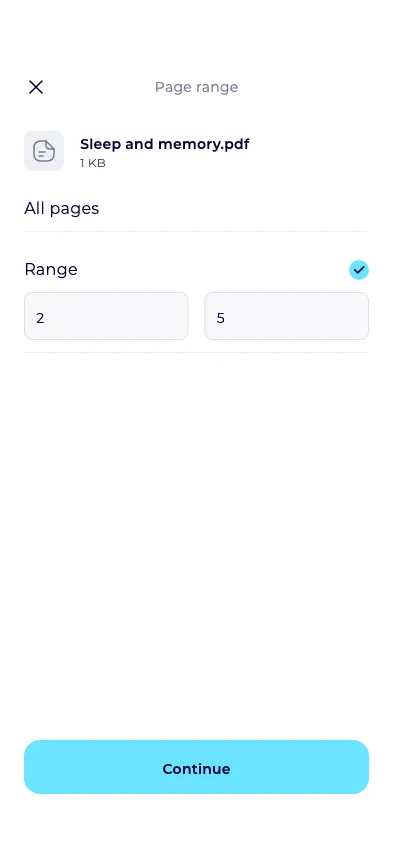
Pick the pages
Choose All pages or Range. To listen to pages 2–5, enter 2 and 5, then tap Continue.
Review the text and listen
Check Extracted text, correct anything the reader should pronounce differently, then tap Read. Use playback speed to slow down dense passages.
Check the PDF before you start
Try selecting a few words in your PDF viewer. If nothing is selectable, the app tries to recognize text from up to 20 scanned pages per request. Start with one page to check the result, then use ranges of up to 20 pages.
If a document mixes selectable text and scans, check that the first and last sentences of each part are present. You can import a missing scanned page in its own range.