
Ask questions about a PDF
When a dense paper or class handout raises a question, bring that section into Ask anything and use the conversation to find what to reread.
Start with the part you want to understand
Open Ask anything
Tap + and choose Ask anything, then select File for a PDF. You can also add text, an accessible web article, or images.
Choose a section and analyze it
Select all pages or a range for the PDF. Review the extracted text, then tap Analyze.
Ask a specific question
Try “What is the main argument of this section?” or “What does this term mean here?” Then ask for an example or a shorter explanation.
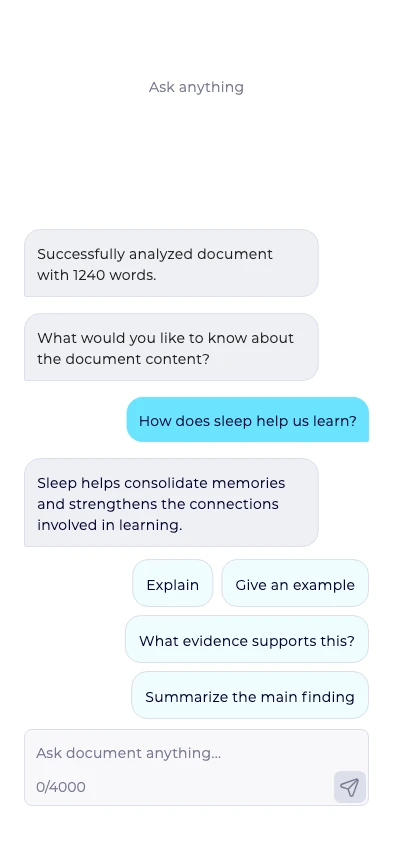
Use chat as a reading aid
Compare important details with the original passage. If your question needs other pages, start a new Ask anything conversation with the relevant section.
To hear the source itself, bring the same section into Read aloud. You can return to the paper and read along where the answer raised another question.